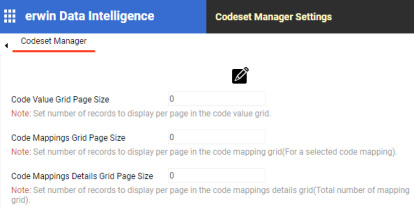
You can configure number of records per page in the Codeset Manager for:
- Code value grid
- Code mappings grid
- Code mappings details grid
To configure number of records per page in the Codeset Manager, follow these steps:
- Go to Application Menu > Settings > Codeset Manager.
- Click
 .
. - Use the following options:
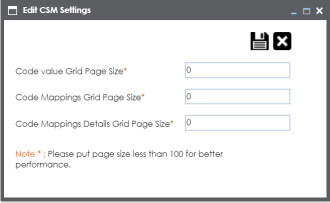
- Code value Grid Page Size
- Set the number of records to display per page in the code value grid.
- Code Mappings Grid Page Size
- Set the number of records to display per page in the code mapping grid.
- This is for the selected code mappings.
- Code Mappings Details Grid Page Size
- Set the number of records to display per page in the code mappings details grid.
- Save (
 )
)- To save the page sizes, click
.
The following page appears.
The Edit CSM Settings page appears.
|
Copyright © 2023 Quest Software Inc. |